OKR template to achieve a score of 988/1000 in Class 12 results
Your OKR template
The next objective focuses on solving and reviewing five years' past exam papers for each subject. This involves reviewing and analyzing answers to identify potential learning gaps, obtaining past exam papers for each subject for the last five years, and systematically solving each one. The intention is to familiarize oneself with standard exam questions and improve exam-solving techniques.
Another important strategy to accomplish the primary OKR is to score over 95% in all weekly subject-specific tests. To achieve this benchmark, regular practice using past test papers, allocating daily, dedicated study time for each subject, and seeking clarification for any challenging content are seen as crucial. This goal is planned to ensure consistent academic performance across all subjects throughout the term.
Each of this OKR's initiatives requires strategic planning, attention to detail, and commitment. The strategies lay a solid foundation and provide a structured approach to achieving excellent exam results. If these steps are adequately implemented, they will likely lead to the desired outcome: an impressive score of 988/1000.
 ObjectiveAchieve a score of 988/1000 in Class 12 results
 KRComplete all subject chapter revisions twice by the end of the term
 Prioritize harder chapters for first revisions
- Create a study schedule allocating time for each subject
- Allocate sufficient time to repeat the entire revision process
- KRSolve and review five years' past exam papers for each subject
- Review and analyze answers for learning gaps
- Obtain past five years' exam papers for each subject
- Systematically solve each past exam paper
- KRScore above 95% in all weekly subject-specific tests
- Regularly practice with past test papers
- Allocate daily dedicated study time for each subject
- Seek clarification for any challenging content
How to edit and track OKRs with Tability
You'll probably want to edit the examples in this post, and Tability is the perfect tool for it.
Tability is an AI-powered platform that helps teams set better goals, monitor execution, and get help to achieve their objectives faster.
With Tability you can:
- Use AI to draft a complete set of OKRs in seconds
- Connect your OKRs and team goals to your project
- Automate reporting with integrations and built-in dashboard
Instead of having to copy the content of the OKR examples in a doc or spreadsheet, you can use Tability’s magic importer to start using any of the examples in this page.
The import process can be done in seconds, allowing you to edit OKRs directly in a platform that knows how to manage and track goals.
Step 1. Sign up for a free Tability account
Go tohttps://tability.app/signup and create your account (it's free!)
Step 2. Create a plan
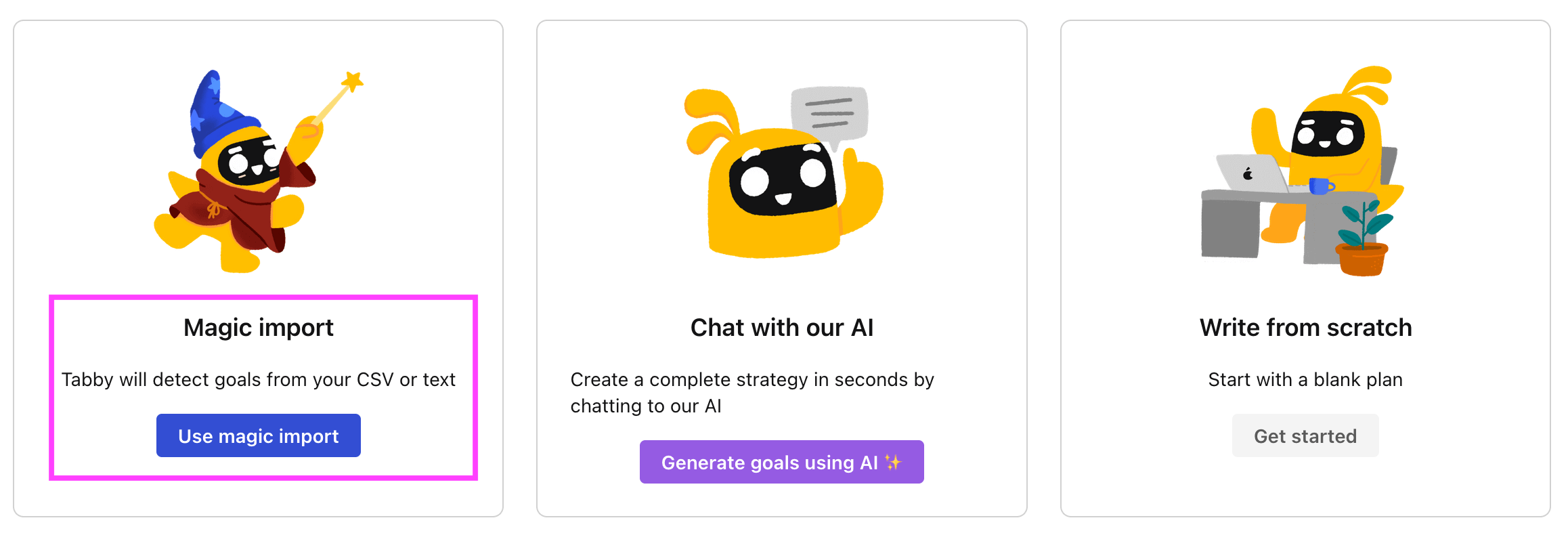
Follow the steps after your onboarding to create your first plan, you should get to a page that looks like the picture below.
Step 3. Use the magic importer
Click on Use magic import to open up the Magic Import modal.
Now, go back to the OKR examples, and click on Copy on the example that you’d like to use.

Paste the content in the text import section. Don’t worry about the formatting, Tability’s AI will be able to parse it!
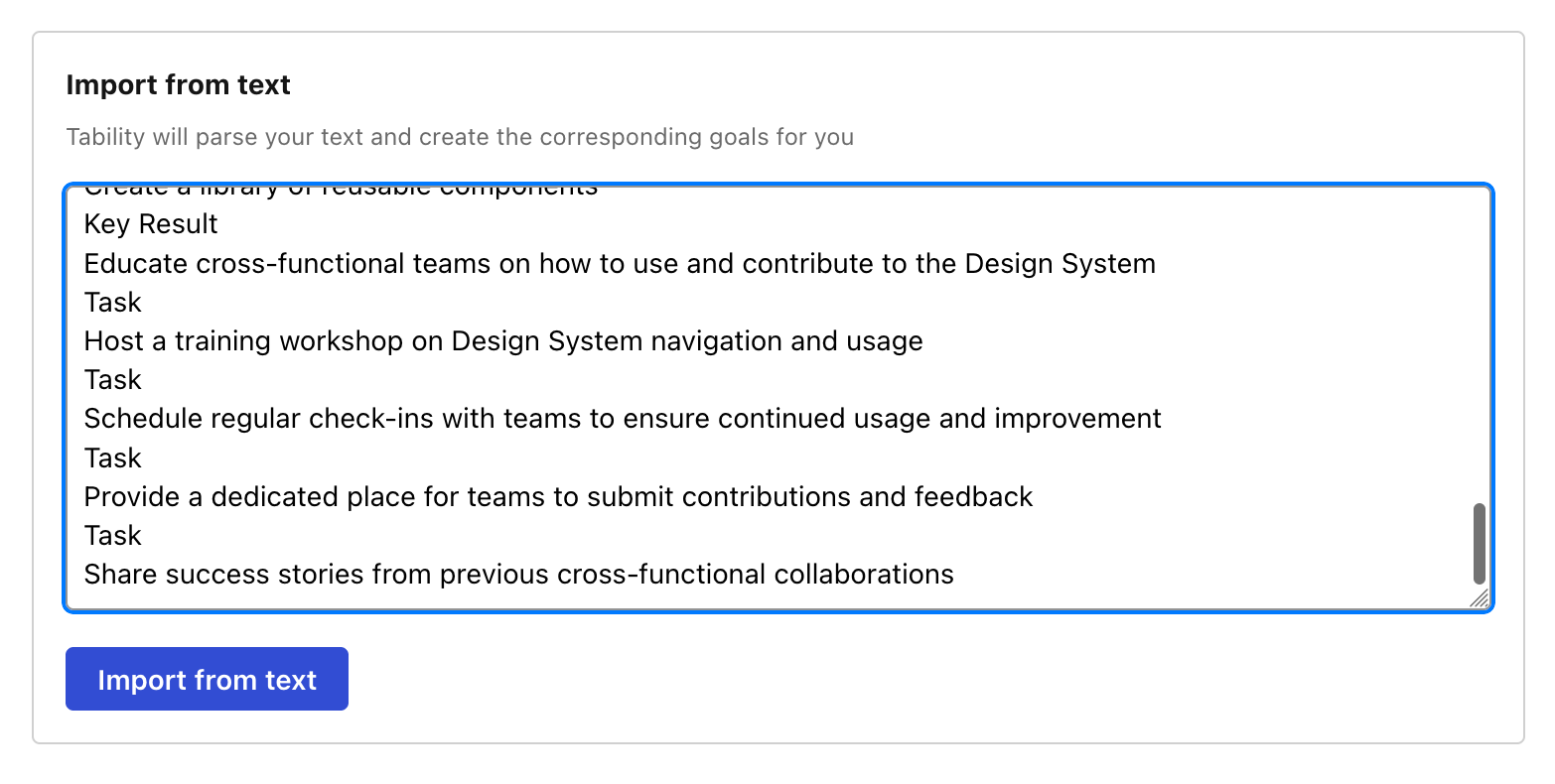
Now, just click on Import from text and let the magic happen.
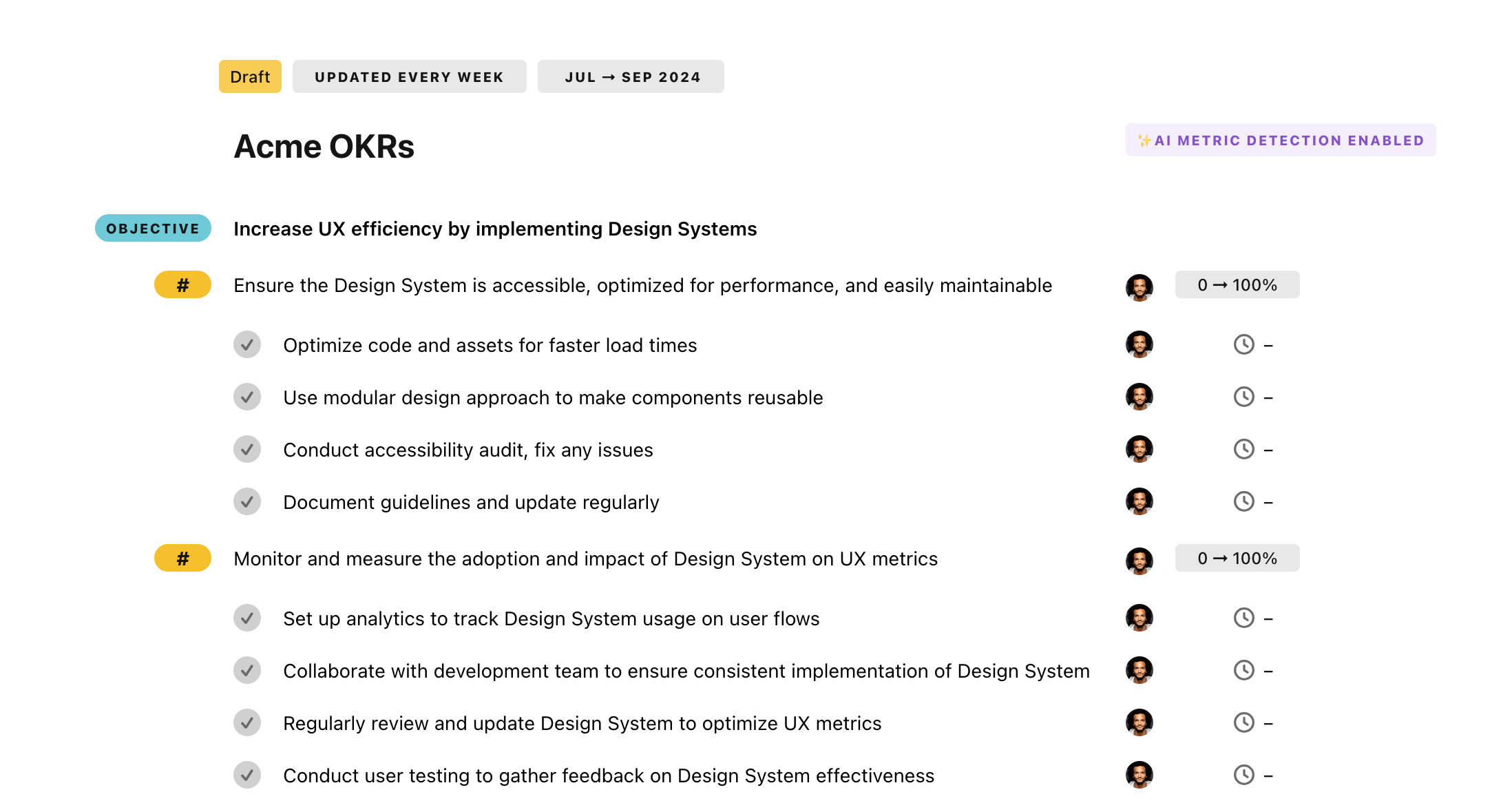
Once your example is in the plan editor, you will be able to:
- Edit the objectives, key results, and tasks
- Click on the target 0 → 100% to set better target
- Use the tips and the AI to refine your goals
Step 4. Publish your plan
Once you’re done editing, you can publish your plan to switch to the goal-tracking mode.
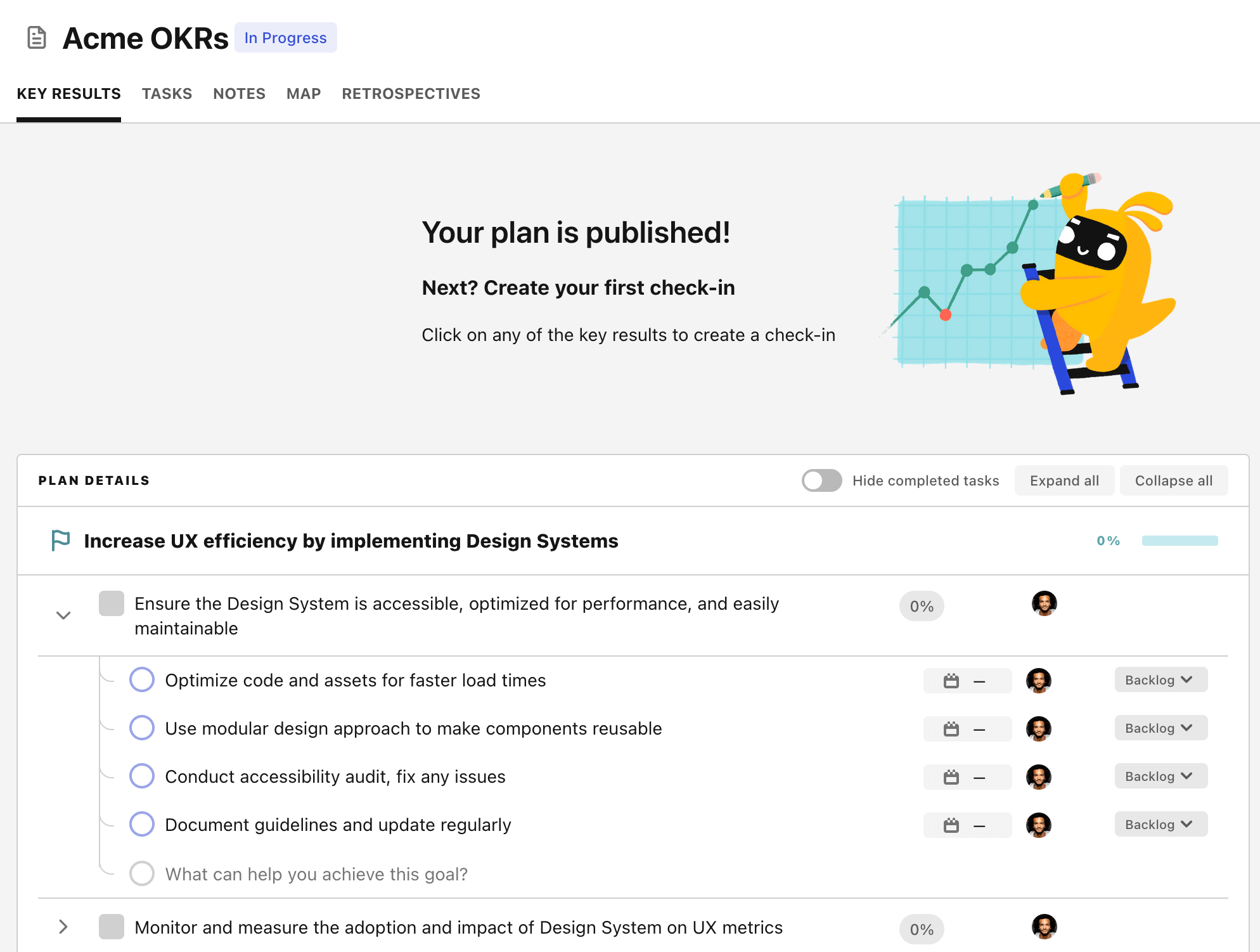
From there you will have access to all the features that will help you and your team save hours with OKR reporting.
- 10+ built-in dashboards to visualise progress on your goals
- Weekly reminders, data connectors, and smart notifications
- 9 views to map OKRs to strategic projects
- Strategy map to align teams at scale